

How can home inspectors maintain consistent terminology across every report without the headache of repetitive and manual data entry?
Palmtech’s new Global Ratings feature solves this challenge by giving home inspectors a single home base to build and manage your ratings labels. Instead of wasting time re-typing the same descriptions on every job, inspectors can set their terms once and they’re ready to go for every report they write.
The introduction of the new Global Ratings feature follows closely upon the heels of February’s release of Palmtech 11, giving you total control over how you categorize findings so your reports stay clean, professional, and consistent every time you hit send.
Why Global Ratings matter for inspectors
This feature is all about keeping your rating language uniform across your business, tightening workflows, and saving time.
- Set it and forget it: Define your rating labels once and use them anywhere you write comments
- Automatic imports: Palmtech automatically pulls in rating labels when you bring in comments from your existing templates
- Library integration: Ratings are available directly in the Comment Library, making the process predictable and quick
- Added nuance: Apply multiple ratings to a single finding to give your clients better context
- Seamless management: Easily create, edit, delete, search, and sort your ratings in one dedicated place
How Global Ratings work inside Palmtech
Global Ratings live inside the Comment Library under a dedicated tab.
Step 1: Open the Template Editor
Log in to the Palmtech Web Report Writer.
From the dashboard, navigate to the Template Editor page.
Step 2: Access the Comment Library
In the Template Editor header (top-right), click on Comment Library.
Select the Ratings tab from the top menu (Comments | Tags | Ratings).
Step 3: Manage Your Ratings
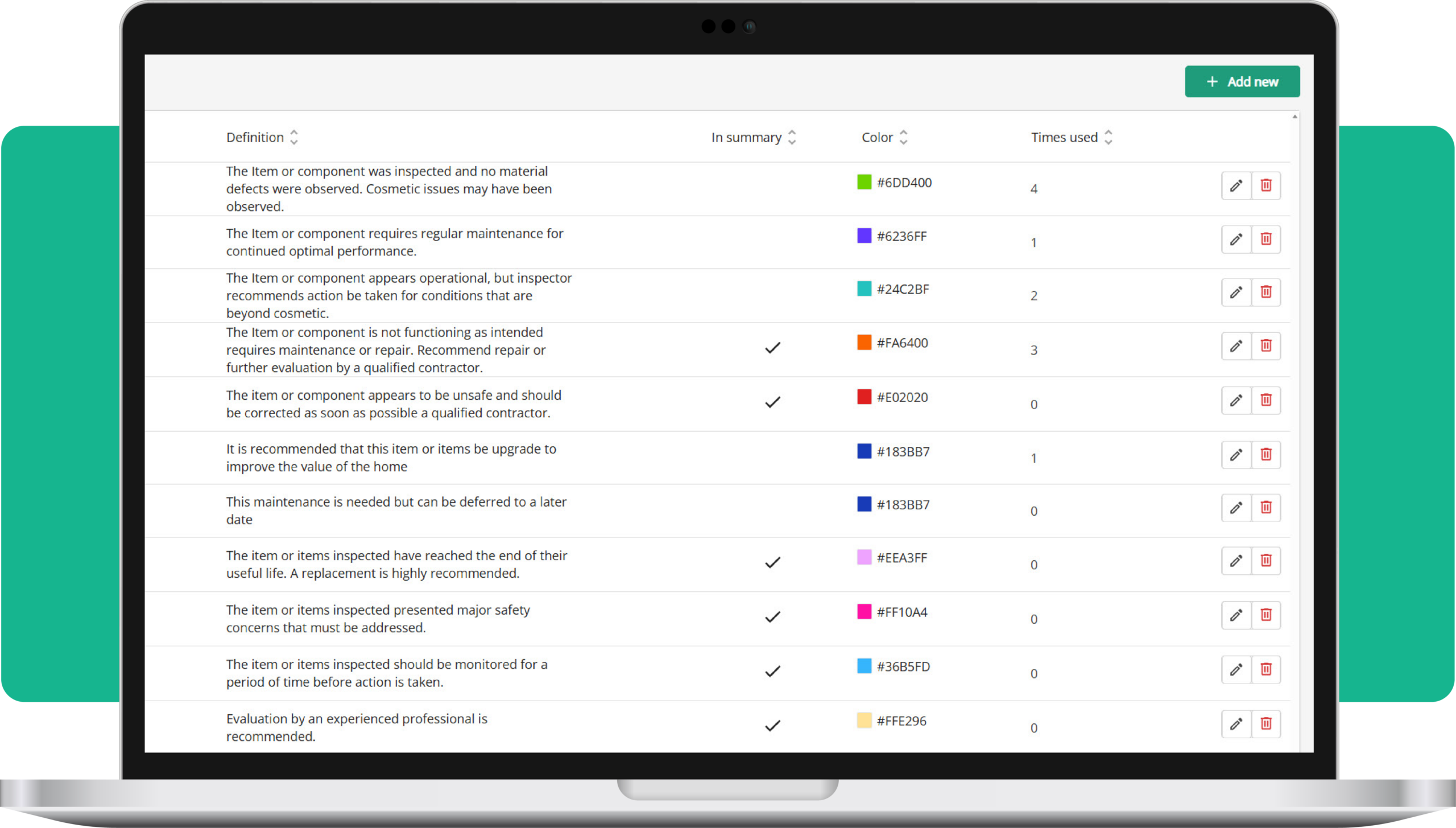
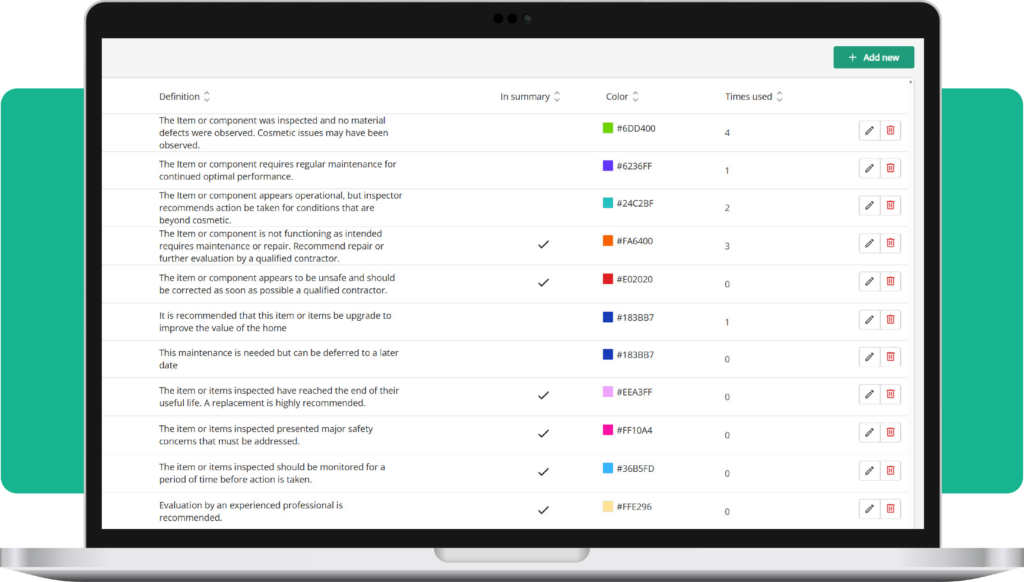
From this table, you can view the Name, Definition, and Color of each rating. You can also see how many times a rating has been used and toggle whether it should be included in the report summary.
Stop rebuilding your ratings and start saving time
Global Ratings is part of Palmtech’s ongoing commitment to building time-saving tools that help inspectors stay organized.
If you haven’t made the switch to the new era of inspection report writing yet, start your free Palmtech trial today.